Analysis Check-out / Check-in
This feature is included in the Ultimate & Advanced Editions
|
Time-saving rating....
|

|
|
If you have more than one facilitator who needs to use RCM Desktop on a laptop during analysis meetings then you will have the problem of managing multiple copies of an analysis. It is normal practice to designate one RCM Desktop database as the "master" repository for all your RCM data.
RCM Desktop Advanced Edition helps you to manage this situation using its Check Out / Check In feature. You decide which RCM Desktop database will be the master copy of all data - this will be regarded as the "Home" database. All new analyses should be created in this Home database. A new analysis can then be "Checked Out" of the Home database and imported onto the facilitator's laptop. In the Home database that analysis cannot be edited (although it can be opened read only). When the analysis is complete (or it has reached a break) it can be returned by the facilitator and then Checked In to the Home database again. If necessary, it can be Checked Out for a second time and so on. In this way, this system enables centrally-stored data to be shared between multiple facilitators whilst ensuring that only one of them can edit it at a time while analysis meetings are taking place. This works whether you have a multi-user version of RCM Desktop combined with one or more single-user versions or you have just several single-user versions. |
|
|
Check Out / Check In Logic The following is a detailed description of how the Check Out/Check In system works. You can check out any analysis (that's not already checked out) from any database any time you like. |
|
|
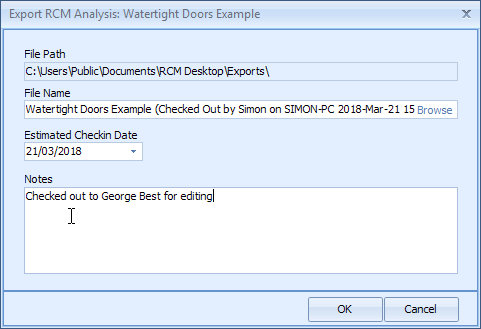
The act of checking out an analysis does the following:
|
|
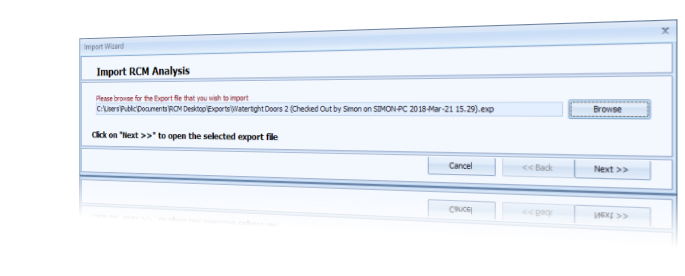
On, say, a laptop connected to an Away database you can import the above export file provided its analysis does not already exist (unless the existing analysis is an earlier copy of the same one which has already been around the check out - check in loop).
Importing a checked out analysis does the following:
Importing a checked out analysis does the following:
- It sets its Check Out State to "On Loan" - this means it cannot itself be checked out or exported, it can only be returned to its Home database.
On the Away database the user edits the analysis as required and will then eventually want to return the analysis back to its Home database, i.e. check it back in again. To do this he "returns" it; the following happens:
- It physically creates an export file that can only be checked back into the Home database
- It changes the analysis Check Out State from "On Loan" to "Returned" - this effectively sets it to read only in the Away database (ideally, it should be deleted but if the returned export file gets lost then all edits on the Away database would also be lost). (User can "force" its Check Out State back to "On Loan" in order to return it again if necessary.)
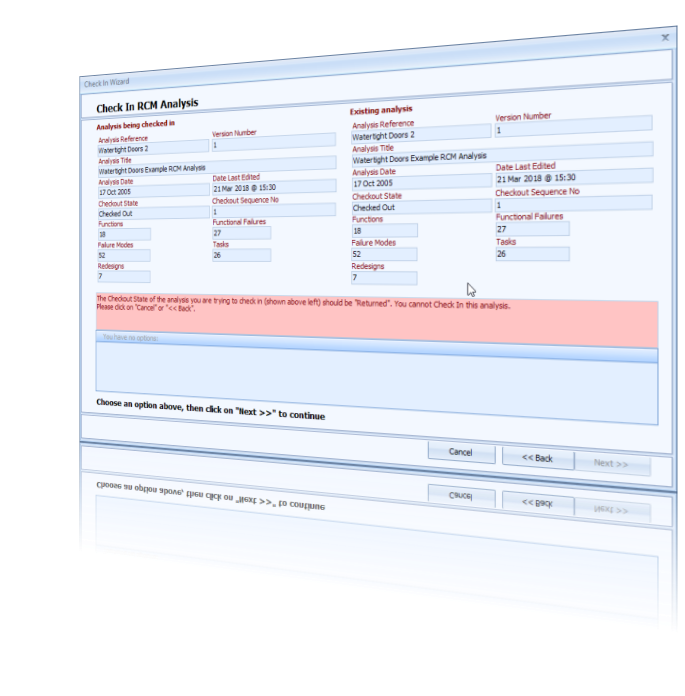
The cycle is completed when the returned export file is checked back into the Home database. Checking in is only permitted for export files where:
- They were originally checked out from the same Home database
- The analysis Check Out State is "Returned" and
- The Check Out Sequence Number matches the Home one.
Checking in does the following:
- It overwrites the existing analysis with the returned one
- It sets the Check Out State to "Normal".